
Appearance
Help Page
Add to your toolbar
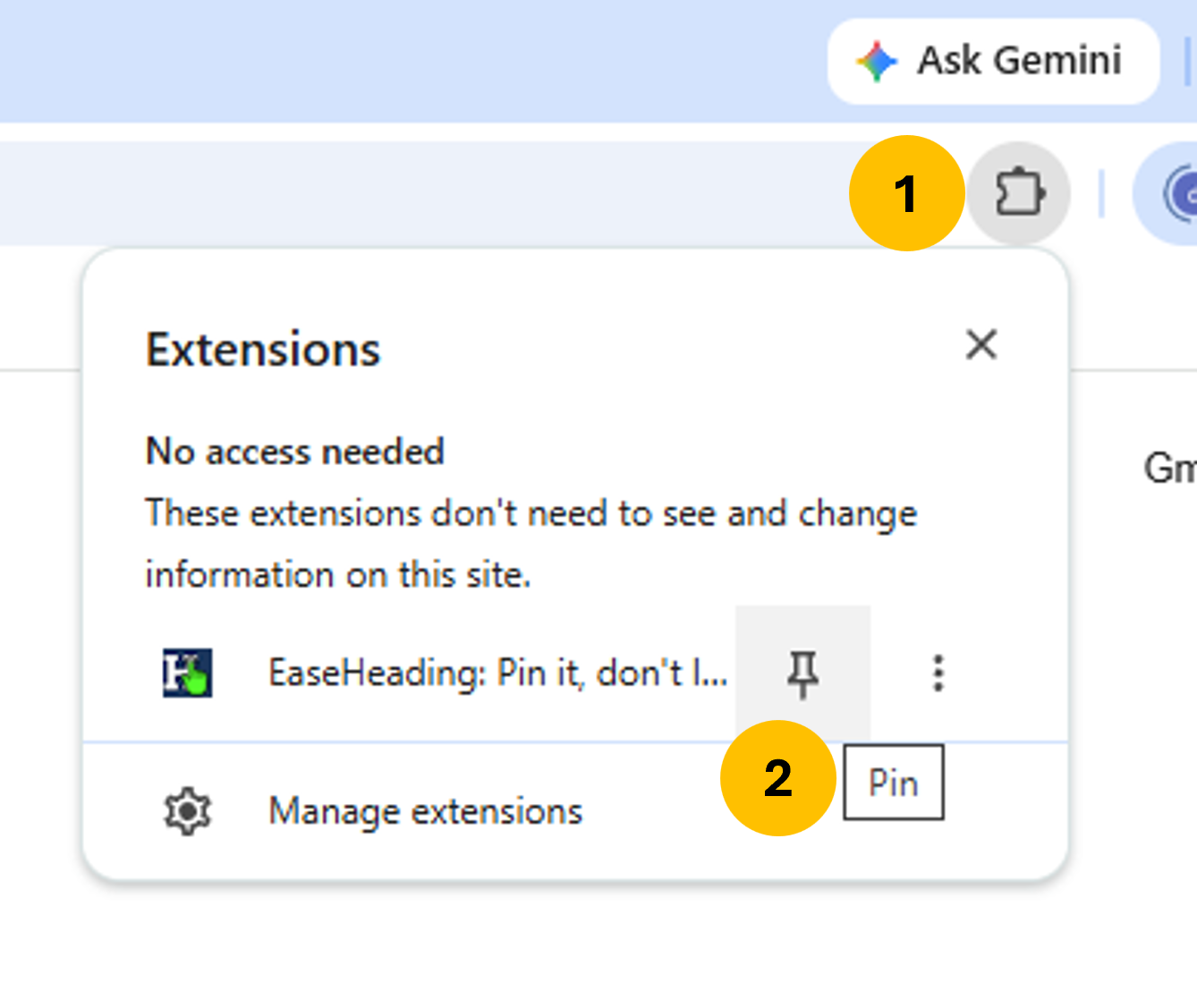
Click the extensions icon in your browser toolbar, find EaseHeading, then click the Pin icon right next to it.
Use keyboard shortcuts
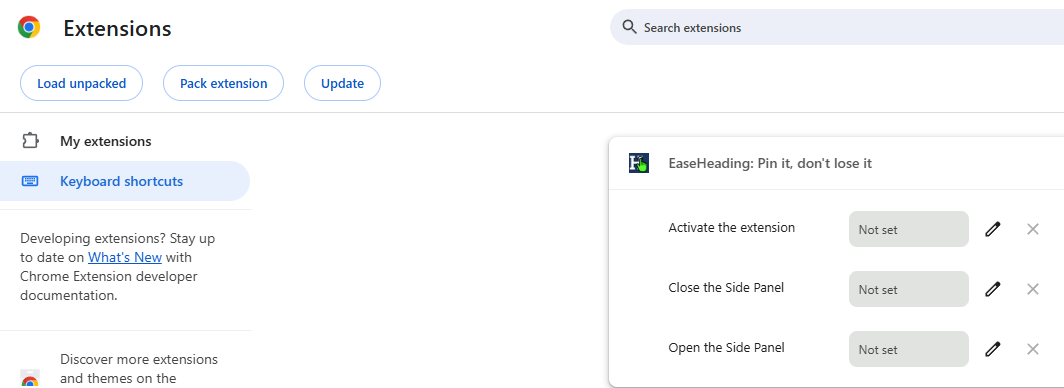
- Copy and paste the web address into your address bar.
chrome://extensions/shortcuts
- Click the Pencil icon to change the shortcut
Suggestions:
| Activate the extension | Close the side panel | Open the side panel |
|---|---|---|
Alt + Shift + A | Alt + Shift + E | Alt + Shift + S |
Empty Content?
There are many reasons the extension might come up empty.
Some sites and platforms are formatted with custom CSS and React/Vue components.
Others may wrap their contents in shadow trees or containers.
There is nothing we can do about them.
How to uninstall
Warning: You will lose all of your saved pins.
In the following address, find the extension and click the Remove button.
chrome://extensions/
Request a Feature
If you have an idea for a feature or improvement, head over to our Chrome Web Store Page.
Leave a review and describe the feature you’d like us to add.